免費 AI 線上背景移除
上傳圖片,自動移除背景,獲得乾淨邊緣與透明 PNG 輸出。
✏️上傳圖片,AI 將自動移除背景
 處理前
處理前 處理後
處理後或將圖片拖放到此處
支援格式:
背景移除前後對比
將原圖與透明背景的處理結果進行對比。
 After
After
人像抠图
 After
After
角色与物体抠图
查看背景移除效果
我們先進的 AI 技術讓圖像編輯變得輕鬆簡單。
处理后自动抠图,边缘清晰
我们的AI自动检测主体,创建边缘平滑的干净抠图。
处理后角色与物体抠图
精准去除角色、吉祥物和3D物体的背景,边缘细节完美保留,随时用于设计和营销素材。
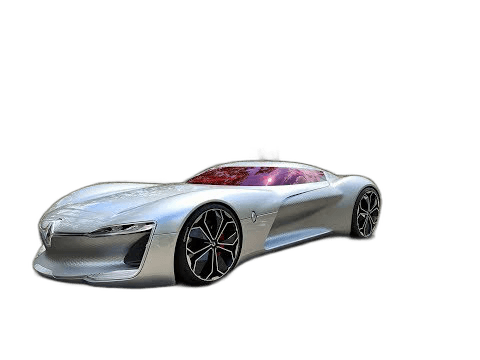 处理后
处理后
完美适用于电商
为您的在线商店创建具有透明背景的专业产品照片。
簡單的工作流程
無需手動編輯即可快速完成
3 步驟
幾個步驟完成上傳與匯出
AI 驅動
智慧 AI 自動移除背景、物體與浮水印
365 天
儲値點數有效期長達一年
Everything You Need to Know
Remove Image Backgrounds Instantly — Free AI Background Remover
AI-powered background removal with clean edges and transparent PNG output — free, fast, no sign-up required.
How to Remove a Background
Upload any JPG, PNG, WEBP, or BMP image up to 10 MB. Our AI automatically detects the subject and removes the background in seconds — no manual selection or brush strokes required. Download a clean transparent PNG immediately.
Portrait & Hair Cutouts
Our AI model handles fine details like hair, fur, and wispy edges that trip up simpler tools. Get clean, smooth cutouts on portraits, headshots, and pet photos without manual touch-up.
Product Photography
Create professional white or transparent backgrounds for product photos in seconds. Ready to upload straight to Amazon, Shopify, Etsy, or any e-commerce platform — no photo studio required.
Transparent PNG Output
Every background removal produces a high-resolution transparent PNG you can use on any colored background, in design software, or on the web. Perfect for logos, stickers, and compositing.
Free to Try, No Sign-up
New users receive 10 free credits — enough for 2 full background removals. No account needed to upload and preview. Register only when you are ready to download your result.
Fast, Private & Browser-Based
Background removal completes in seconds. All uploaded images are deleted from our servers immediately after processing. Works in any modern browser on desktop or mobile — nothing to install.
常見問題
關於使用 EraseBG 的常見問題
準備好移除不需要的元素了嗎?
上傳圖片,標記區域,下載更乾淨的結果。